No products in the cart.
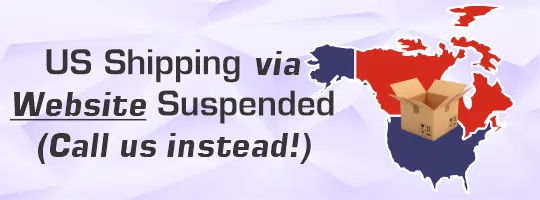
Solarbotics is a small Canadian small-business, and the latest round of US tariffs and fees have made shipping to US destinations difficult to calculate correctly. We have made the hard decision to disabled all shipping to the United States though our website.
The recent 50% Section 338 tariff affects our kits and other locally made products, while the additional 10%-12.5% Section 301 Forced Labor tariff affects most everything else in our inventory.
Shipping via UPS has resulted in our customers receiving large clearing invoices resulting in some customers refusing their shipments. Resulting in Solarbotics receiving unexpected bills and lost product. However, when shipping via UPS we do not charge nor collect this tariff, as that is applied entirely by the US Government and has to be paid for by the customer.
We use a 3rd party shipper so we could ship DDP (Delivery Duties Paid) which worked well, but the new tariffs are not being correctly calculated and applied to website orders, resulting in wildly inaccurate shipping/clearing/tariff quotations.
If you are in the USA, and still would like to buy from us, please send us an email at: [email protected]. We would be happy to assist you calculating the most up-to-date shipping and DDP Costs via our 3rd party shipper.
The United States has historically been a healthy part of our international business, but until we have a solution to accommodate these tariff changes, US customers will have to contact us direction to place an order.
Thank you for your support over the years.
The Solarbotics Team
While cleaning up the warehouse, we tripped across this cache of Openbeam aluminium 15x15mm construction extrusion, in various colors, various lengths (from 1M down to 240mm).

This is beautiful, and useful. We’ve built a few machines using it using both ABS and aluminum brackets with 3mm hardware, including the bulk wire-winder, wire cutter, robot chassis, and screw counter.
The profile is open-source, and there’s a good assortment of 3d-printer compatible fixtures you can use it with! Come on into the store and grab it while it’s still around! (Sorry, not available for shipping)
We used to love supplying our international customers. Used to.
But we’re being hit with too many “This is costing too much with tariffs…” refused shipments. We’re trying to warn you – there’s at least 2 notices you HAVE to acknowledge before submitting your online order. But some customers are refusing shipments, and then claiming that the product “arrived defective”.
HOW do you refuse a shipment, then try to submit a charge-back if you never had the chance to evaluate it’s condition?
So until cross-border shipping policies shape up, we may be following up international orders for Electronic-fund transfers rather than PO or credit card.
We’re a small business – bigger than a some, far smaller than many. We can’t afford to keep having product refused, then it getting swallowed by the shipping companies as scrapped returns never to be seen again.
Bringing more value to you, we’ve added a 3rd Party shipping option!
Traditionally, you get better rates from the courier companies by shipping more. Not shipping much? Expect to pay more. BUT with the advent of small “last-mile” delivery companies leveraging their agility, they can offer more competitive rates to smaller companies like ourselves, which we’re able to offer you!
One of the major hurdles in facing off against the large online vendors is finding a cost-effective way to ship materials.
Available for both US and Canadian destinations, you can choose to have your order delivered “last-mile” via Canada Post or USPS, or by 3rd party for even more value. Our US-bound destinations will have the appropriate CUSMA/USCMA paperwork already in-place. Keep in mind not all our products are CUSMA/USCMA eligible, so there still may be tariffs applied to those items.
Watching pallet-jacks moving a bazillion units of filament through snow is a Canadian thing. Well, for us at least. Now that our warehouse is restocked, and with our new shipment, comes new colors!
eSun BASIC
The eSun basic formulations are just that – simplified and less expensive. Ideal for lower-speed printing not needing the qualities the full eSun PLA+ formulations offer.
eSun Silks & Silk-Magic
The silks lineup offers such a nice sheen and finish to a print.
eSun New PLA & Chemistries
eSun simple keeps increasing the number of colors available. Here’s what we’ve selected to add to our inventory. Oh, and a new “Luminous Orange” (aka: Glow-in-the-Dark), and Carbon-fiber black!
AHA! We’ve found the CSS bug that made the mobile-experience fail on the menu pulldown. All better now!
Tis the season to reap what we’ve sown, and in that spirit, here’s what we’ve been doing with our summer students this year, fulfilling the following tasks:
Incorporating Active-Tech Calgary Store Inventory
This has been a long-desired project coming to (partial) completion, bringing the inventory from our physical store Active Tech Calgary online. This has been a nebulous task, needing us to document every item carried in the store with photos, dimensions, and weights (generated by a previous summer-student project, the Raspberry-Pi powered “Camstation”).

We’ve been able to bring online the gist of the inventory usually available in-store via the “Item Availability” search feature on our website. Although some items can be purchased online and in-store, we are unable to bring every item online presently. There are literally a minimum of 14 parameters that have to be filled-in to bring a product online. While we prioritize this, we’re doing a blanket “Here’s what we have” update, so at least it’s indexed and searchable. This more than doubles the product listings online!
Website Refresh
We’ve refreshed our website installation, as our previous commercial web developers efforts did not give us optimal performance. That meant shifting some background infrastructure, but also let us start with a clean, quick database. The performance should be noticeable!
Left to do is bring in the support documentation (PDFs, support code, etc) to each product. If you need something sooner than later, email us and we’ll send it directly to you.
More background optimizations are in the works; stay tuned!
Mechanics
- The bed size/volume is 350x350x350mm, vs the 300x300x300mm of the K1 Max.
- Featuring linear-rail movement systems, it moves at up to 600mm/s
- The 80W hot-end is updated and all-steel, and not compatible with the K1 Max
- The hot-end also features a look-down camera for flow-control and pressure-advance tuning
- There is a pair of automatic belt-tensioners, which are activated in the same menu as the “bed-level” feature.
- The Creality Filament System (CFS) supports up to 4 rolls of filament for color printing
- Note: Flexible filaments (TPU) still has to be fed via the side-mounted mono-feed system.
- The Printer features heating & filtration:
- 2 chamber fume extraction fans (with carbon packet filters)
- 1 central chamber heater (excellent for rapid 60°C environments)
Software / Interface
- The menu is now moved from the default web (port 80) location to the “Fluidd” interface at
http://<ipaddress>:4408 - You can view the camera stream (which is not viewable via the above Fluidd interface) at
http://<ipaddress>:8000
Creality Filament System (CFS)
- Can be daisy-chained 4-deep for up to 16 spool management
- Can be configured to auto-swap to full spools when the present spool runs out
- Interface is fully integrated with the K2 Plus menu
- Spools featuring RFID descriptor spools are automatically read when inserted into the CFS
- Spools not having the RFID can be easily manually entered from the filament menu
- When unpacking a new CFS, remove the 2 silica lids on the bottom of the spool tray and remove the silica bags out of the protective plastic bags.
- Tip: Keep the silica bags that come with your filament in the center of the filament for additional desiccant capacity.
- Changing colors will naturally create a purge dump on each change
- Make it a priority to print a discharge bucket! The back is a steel plate, allowing for magnetic attachment.
- TRY to keep color changes vertical, not on the same layer
- Make it a priority to print a discharge bucket! The back is a steel plate, allowing for magnetic attachment.
Creality Print – Configuration
Although there are some excellent slicers, we suggest starting with the Creality Print slicer, from the Creality Website. Setting up your printer with Creality Print is easy as the software contains all the needed profiles and machine definitions with the install.
If you are adding to your printer farm, you will find the menu to add a new printer here under the “Prepare” tab. Select your K2 Plus to make it part of your Slicer.
Under the “Prepare” Tab (center top), the right-side will show a “Filament” header. Click it to open it up
These are the KEY ELEMENTS to managing the spool settings in your Slicer
At this point you are able to bring your .OBJ file into the build-plate area.
TinkerCAD Preparation
If you want to leverage the multicolor feature of your printer you have 2 main methods of having this happen.
1. Paint a Solid Object
Easy. Just create your object as normal, and export it as an .OBJ or .STL file. Then use the Creality Print software to color the sections like you would with a crayon (more on that later).
Easy. Just create your object as normal, and export it as an .OBJ or .STL file. Then use the Creality Print software to color the sections like you would with a crayon.
On the RIGHT side of the “Prepare” menu, this little artist’s Palette opens up a variety of methods to paint color onto your object.
Fill mode is VERY convenient and clean.
“Triangle Select” mode lets you pick individual STL triangles to take the color.
2. Create Your Object as a Collection of Parts
This is the preferred method, as it’s so much easier to give an object a color attribute, and export it out that way. Create your object in TinkerCad and do not group the colored elements into a final model. Leave them as separate elements.
You MUST export your model as an .OBJ to keep the color assignments with your model. It will export as a .ZIP file.
You CANNOT simply drag the ZIP file into Creality Print. You MUST (as of version 6.0.3.1591) unzip the file, and import it in from the “import” menu (CTRL-I).
“Preview” will show you exactly where the the filaments will locate into your print.
These are thermal, not Infrared cameras, returning temperature data in a tight and tidy bundle that can be plugged into Android, IOS, and other USB devices (like Raspberry-Pi SBCs!).
What use is it? Here’s what we’ve done with it over the last month:
- Did thermal house-leakage analysis using on my Android phone.
- Successfully diagnose a stuck-open thermostat on my truck (it was taking very long to heat up in our freezing Calgary winter).
- Detected a bruise forming on my forearm before it was visible
- Diagnose a bad voltage regulator on a motherboard
- Count animals in the park across the street
- Use some excellent open-source software to run it on a Rock Pi SBC for in-store demos
And it’s small. The basic unit starts at just over $220, and there are models with additional macro-settings, pistol-grip mounts, and advanced software settings.
Presently not on the website yet, but it is available in-store at Active-Tech Calgary.
Some of our favorite vendors reduced their offerings in thermal paste, so we searched out replacement inventory. We came across GD-2 being reviewed as a cost-effective alternative to more premium thermal pastes. So we’ve brought in some stock in 1, 7 and 15gram volumes.
At 7.5W/MK, it’s almost twice as effective as our budget thermal paste.
Presently, it’s only available in-store at Active-Tech Calgary.
Let’s play “Spot the differences”!
We received some new inventory, and one of these things …was not like the other (Sesame alumni, we are!). FYI, here are some differences between the K1 series of hot-ends. I don’t believe them to be “OMG!” differences, but just worth noting. We’ve had good results with both styles, but of course the red-sock version is preferred.
Of course, neither are of the latest Creality “Unicorn” technology, which you /can/ upgrade your older K1 to, but we’ve had consistently good results with this hotend revision.
Items might not be on the website yet, but they are in-store at Active-Tech Calgary.